Is Sportzfy APK Safe? Risks, Permissions and Safety Tips for Android Users
Sportzfy APK is a name Android users may come across when looking for sports streams and live TV content.
Before installing any APK from outside the Google Play Store, it is important to understand the possible security risks, review app permissions, and check whether the source is trustworthy.
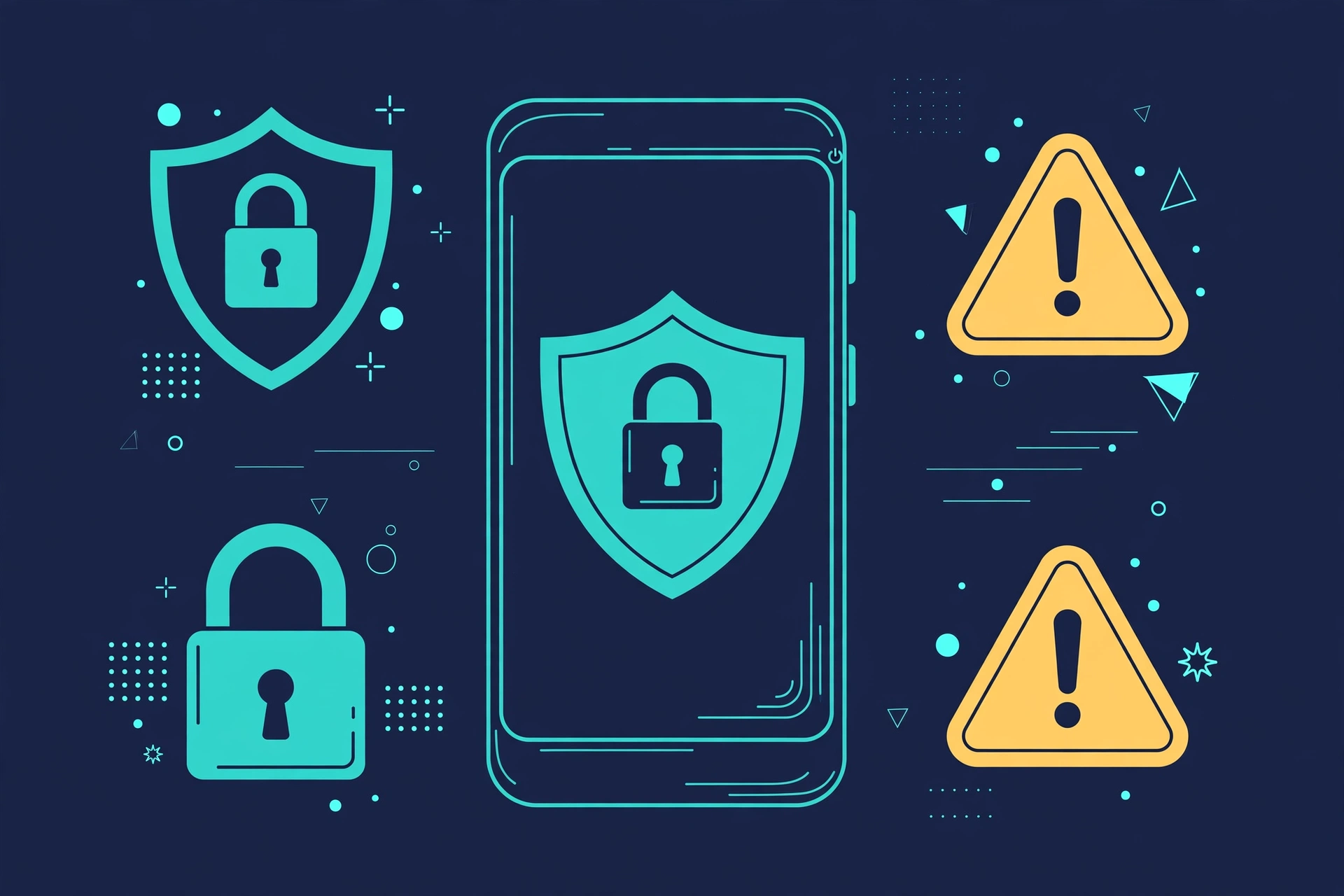
Is Sportzfy APK safe? Its safety cannot be confirmed without verifying the exact app file, its code, and its source.
Like other third-party APKs, it may carry risks if the file has been changed, contains harmful code, or requests access to information it does not need.
This guide explains how to assess those risks, check Android permissions, spot suspicious download websites, and protect your phone before installing an unfamiliar app.
What Is Sportzfy APK?
Sportzfy APK refers to an Android application package associated with sports streaming. An APK is the file format Android uses to install apps. Unlike installing an app directly through a recognised app store, installing an APK manually may require you to allow installation from an external source.
This does not automatically mean an app is harmful. However, it makes checking the file’s origin and integrity especially important.
Sportzfy should not be assumed to be an official app simply because a website uses its name, displays a logo, or claims to offer a genuine version. The identity of the publisher and the authenticity of a particular APK need independent verification.
What Are the Risks of Installing Third-Party APKs?
Third-party APKs can be useful, but installing one from an unverified source creates risks that users should understand. The main concern is that you may not know who created the file, what code it contains, or how it handles your information.
1. Malware and Hidden Code
Some APK files contain malicious code designed to harm a device or steal information. Depending on the threat and the permissions available, malware may collect data, display unwanted ads, download additional harmful software, or attempt to access sensitive accounts. A modified version of an existing app can look almost identical to the original. Its logo, name, and interface do not prove that its code is safe.
2. Excessive App Permissions
An app may request access to features or data that it does not need for its main purpose. These permissions can create privacy risks if the app misuses them or contains harmful code. For example, a video-streaming app may need internet access, but requests for SMS messages, call logs, or contacts deserve closer attention. The reason for each permission matters more than the number of permissions alone.
3. Privacy and Data Collection
Some apps collect information about how people use their services. Depending on the app, its design, and the permissions granted, this may include device details, location information, or personal data. A privacy policy can help explain the developer’s practices, but it does not independently prove that the app follows those promises. If the publisher is unknown or its privacy information is unclear, you may have little confidence about how your data is handled.
4. Fake or Modified APK Files
Cybercriminals can create websites that copy the name, branding, or appearance of a known app. They may advertise a modified APK as an updated, premium, or unlocked version. The file might be different from what the website describes. It could include unwanted software, request unnecessary permissions, or fail to work as advertised.
5. Fake Updates and Unwanted Advertisements
An unfamiliar app may display excessive pop-ups or redirect you to unrelated websites. Some suspicious sites also claim that your app is outdated and ask you to install another file. These behaviours do not prove malware on their own, but they are warning signs. Avoid installing additional apps through unexpected pop-ups or allowing notifications from suspicious websites.
6. Account and Financial Risks
Certain malicious apps attempt to steal login details, misuse accessibility features, or trick users into revealing passwords and verification codes. The risk becomes more serious if you use the same device for banking, email, shopping, or work. Never enter financial details or account passwords into an unfamiliar app simply because it promises free content.
Is Sportzfy APK Safe to Install?
There is not enough verified information here to give Sportzfy APK a definitive safety verdict. The answer depends on the exact file, its origin, its permissions, and its behaviour on your device. A file found on one website may not be identical to a file with the same name on another website. Even if one copy appears harmless, that does not establish that every version is safe.
Before considering an unfamiliar Sportzfy APK, assess these points:
- Source — Can you identify the publisher and verify where the file came from?
- Integrity — Is there a trustworthy way to confirm that the file has not been modified?
- Permissions — Does the app request only access that makes sense for its features?
- Security scan — Does Google Play Protect flag the file or installation?
- Privacy — Is there clear, credible information about data collection and use?
- Behaviour — Does the app show unexpected pop-ups, redirects, or requests for sensitive access?
No single check can guarantee safety. A clean scan is useful, but it cannot prove that an app is free of every threat.
How to Check Sportzfy APK Permissions on Android
Android lets you review and change an installed app’s permissions. The exact labels may differ by phone manufacturer and Android version.
Step-by-Step: Review App Permissions
- Open Settings on your Android phone.
- Tap Apps or Apps and notifications.
- Find and select Sportzfy if it is already installed.
- Tap Permissions.
- Review each permission that has been allowed or denied.
- Select a permission that seems unnecessary and change it to Don’t allow, if appropriate.
- Open Permission manager under Security and privacy to review which apps can access sensitive data across your device.
If you have not installed the app, do not install it merely to inspect its permissions. Where possible, use a reputable APK analysis tool or inspect available app information before deciding whether to proceed.
Which Permissions Should You Check?
| Permission | What it allows | What to consider |
|---|---|---|
| Internet access | Connect to online services | Expected for streaming, but does not prove safety |
| Notifications | Send alerts to your phone | Check whether the alerts are useful or excessive |
| Photos and videos | Access selected or broader media files, depending on the permission | Ask why a streaming app needs your personal media |
| Microphone | Record audio | Be cautious if the app has no clear feature that requires it |
| Camera | Take pictures or record video | Usually needs a clear explanation for a streaming-only app |
| Location | Access approximate or precise location | Check whether location-based features justify it |
| Contacts | Read your saved contacts | Treat an unexplained request as a warning sign |
| SMS and call logs | Access text messages or call records | Be especially cautious about granting this access |
| Accessibility access | Observe or control certain device interactions | Grant only when there is a clear, trusted need |
Not every app displays these permissions, and some access depends on Android’s version and permission system. Also, internet access is not always presented as a normal user-controlled runtime permission.
Important: A permission request is not automatically proof of malicious activity. However, if you cannot understand why an app needs sensitive access, deny it and reconsider installing or using the app.
Warning Signs of Fake or Unsafe Sportzfy APK Websites
A website can look professional and still distribute a harmful file. Before trusting a website that claims to offer Sportzfy, look for the following warning signs.
1. No Clear Developer Information
Be careful if the website does not identify the app’s publisher, provide reliable contact details, or explain who maintains the software. A logo and a familiar app name are easy to copy. Look for evidence that connects the file to a verifiable developer rather than relying on the website’s own claims.
2. Too Many Download Buttons
Some download pages display several large buttons, fake progress bars, or advertisements that look like genuine download links. Clicking the wrong one may take you to an unrelated site or trigger an unwanted download. Never assume that the biggest or brightest button is the correct one. Close suspicious pages instead of following their instructions.
3. Requests to Disable Security Protection
Stop if a website tells you to turn off Google Play Protect or ignore a security warning to install an APK. Google Play Protect checks apps for potentially harmful behaviour, including apps installed from outside the Play Store. It can warn about, block, disable, or remove certain harmful apps. Keeping it enabled provides an important layer of protection.
4. Unsupported Safety Claims
Be sceptical of claims such as “100% virus-free,” “completely secure,” or “guaranteed safe” when the website provides no credible evidence. A website may also display fake reviews, copied testimonials, or security badges that cannot be independently verified. Treat these claims as marketing unless reliable evidence supports them.
5. Suspicious Redirects and Pop-Ups
An unsafe website may send you through several unrelated domains, open unexpected tabs, or repeatedly ask you to install browser extensions or other apps. Do not enter passwords, payment details, or verification codes on these pages. Close the browser tab and avoid downloading files from the redirected websites.
6. Unclear File Information or Unexpected Updates
Be cautious if a website gives conflicting app names, publisher details, version information, or file signatures. Unexpected update prompts can also lead to modified or unrelated files. File names and version numbers can be changed easily, so they should not be treated as proof of authenticity.
Practical Safety Tips Before Installing a Third-Party APK
You can reduce the risks of installing unfamiliar Android apps by following a few basic habits.
Step-by-Step: Protect Your Android Phone
- Prefer trusted app stores. Use Google Play or another reputable distribution channel whenever a verified version is available.
- Research the publisher. Look for credible developer information and independent evidence about the app’s source.
- Keep Android updated. Install security updates provided for your device.
- Keep Google Play Protect enabled. Allow it to scan unfamiliar apps and take warnings seriously.
- Check permissions. Deny access that is not needed for the app’s purpose.
- Avoid disabling security features. Do not bypass a warning simply to complete an installation.
- Limit unknown-source access. If you have a legitimate reason to sideload an app, restrict installation permission to the specific source and turn it off again afterwards.
- Avoid sharing sensitive information. Do not provide banking details, passwords, SMS codes, or unnecessary personal data to an unverified app.
- Review installed apps regularly. Remove applications you no longer use or no longer trust.
- Back up important data. Keep a current backup so you can recover important files if your device is compromised.
How to Check an APK for Possible Malware
If you already have an APK file, you can take additional steps before opening it.
Use Google Play Protect: If Android offers to scan the app, allow the scan and follow any warnings.
Use a reputable analysis service: Some security services can scan uploaded APK files for known threats. Review the service’s privacy policy before uploading, because the file may contain information you do not want to share.
Check the file’s origin: Confirm the source and, where reliable information is available, compare the file’s cryptographic hash or signing certificate with a trusted reference.
Treat results carefully: A scan that finds no known threats does not establish that the APK is safe. New or disguised threats may escape detection. Do not install an app just because a website or scanner labels it clean. Consider the source, requested access, and any other warning signs together.
What to Do If You Already Installed a Suspicious APK
If you installed Sportzfy or another unfamiliar APK and notice unusual behaviour, take these steps.
- Stop using the app. Do not enter passwords or other sensitive information while you investigate.
- Review its permissions. Revoke unnecessary access, especially to contacts, SMS, microphone, camera, and location.
- Run a security scan. Open Google Play Store, tap your profile icon, select Play Protect, and run a scan if that option is available.
- Uninstall the app if you no longer trust it. If Android blocks removal, check whether the app has been given special access, such as accessibility or device administrator privileges, and revoke that access when safe to do so.
- Check for further changes. Look for unfamiliar apps, unexpected browser notifications, unusual account activity, or changes to your device settings.
- Secure affected accounts. If you entered a password into a suspicious app or website, change it using a trusted device. Enable multifactor authentication where possible.
- Contact your bank if necessary. If you suspect financial information has been exposed, contact your bank through its verified website or phone number.
If suspicious behaviour continues after removing the app, back up essential personal files and consider getting help from a trusted device-support professional. A factory reset may be necessary in serious cases, but it should not be the first step for every warning.
Conclusion
Sportzfy APK safety cannot be confirmed without reliable access to the exact app file, its code, and its source. This does not mean the app is automatically dangerous, but it does mean users should avoid making assumptions based on a website’s claims. Before installing any third-party APK, check its origin, review its permissions, keep Google Play Protect enabled, and avoid websites that ask you to ignore security warnings. If you cannot verify an app’s source or understand why it requests sensitive access, the safer choice is not to install it.
For more guides, see the Sportzfy TV APK guide.
Frequently Asked Questions
- Is Sportzfy APK safe for Android phones? Its safety has not been verified here. The risk depends on the specific APK file, its source, its code, and its behaviour. Review available security information before deciding whether to install it.
- Can Sportzfy APK contain malware? Any APK distributed through an unverified source could contain malware or unwanted code. This possibility does not establish that Sportzfy itself contains malware.
- Is it safe to install Sportzfy APK outside the Play Store? Installing an APK outside a recognised app store carries additional risks because the source and file may be harder to verify. Check the publisher, permissions, and security warnings before proceeding.
- Which permissions should I avoid granting? Be cautious about unnecessary access to contacts, SMS, call logs, location, the camera, microphone, and accessibility features. Whether a permission is appropriate depends on the app’s actual features and why it needs access.
- Does Google Play Protect guarantee an APK is safe? No. Play Protect can detect and warn about many harmful apps, but a clean result cannot guarantee that an app contains no security threats.
- What should I do if I suspect an APK is unsafe? Stop using it, review and revoke unnecessary permissions, run Google Play Protect, and uninstall the app if you do not trust it. If you entered sensitive information, secure your accounts from a trusted device.