How to Watch Football on Sportzfy: Matches, Leagues and Matchday Tips
Football fans want one simple thing on matchday: find the game quickly and watch it without fuss. Sportzfy is an Android streaming app that may list football-related streams and channels, depending on your version and region. This guide explains how to find football on Sportzfy, what to check before kick-off, and what to do when a match does not appear.
Sportzfy is not an official broadcaster. Match availability can change, and an authorised broadcaster is always the most reliable way to watch an important game.
How to Find Football on Sportzfy
The layout can differ between versions, but football content is usually found in a sports, live sports, or football section, or through a channel list.
Step 1: Open the App Before Kick-Off
Open Sportzfy at least 10 to 15 minutes before the match starts. This gives you time to find the game, test the stream, and switch to another option if the first one fails.
Step 2: Look for a Football or Live Sports Section
Browse the main menu for sections such as Live Sports, Football, Sports, or TV Channels. If there is a search option, try searching for the team name or the word football.
Step 3: Check the Match Listing
Look for the teams playing, the competition name, and the start time. Be careful with similar team names and listings for old matches. If a listing shows no live badge or start time, it may be a replay, a preview show, or an inactive entry.
Step 4: Open the Stream and Test It Early
Tap the listing and let the stream load for a short while. Check picture, sound, and whether the commentary matches the game. If it buffers badly before kick-off, it will probably be worse once the match starts, so try another listing early.
What Football Content Might You Find?
What appears depends on the version installed and the streams currently working. Possible content includes league matches, cup games, international fixtures, and football channels that show previews, news, and post-match discussion.
Do not assume every major league or tournament will be available. Broadcast rights differ by country, and some matches are only shown by licensed broadcasters in your region. If a match is missing, it may simply not be included in the available lineup.
Football Matches at a Glance
| What to check | Why it matters |
|---|---|
| Teams and competition | Confirms you found the right match |
| Start time and time zone | Avoids joining a finished or not-yet-started game |
| Live or replay label | A replay will not show the live score |
| Stream quality | A stable stream matters more than the highest quality |
| Sound and commentary | Check early so you are not fixing audio at kick-off |
Before Matchday: A Simple Checklist
A little preparation avoids most matchday frustration.
- Charge your phone or plug it in, since streaming drains the battery quickly.
- Use stable Wi-Fi where possible, especially for a full 90-minute match.
- Close downloads and other streaming apps that share your connection.
- Test the app the day before a big match, not five minutes before kick-off.
- Know your authorised broadcaster as a backup, in case Sportzfy listings fail.
Watching Football on a Bigger Screen
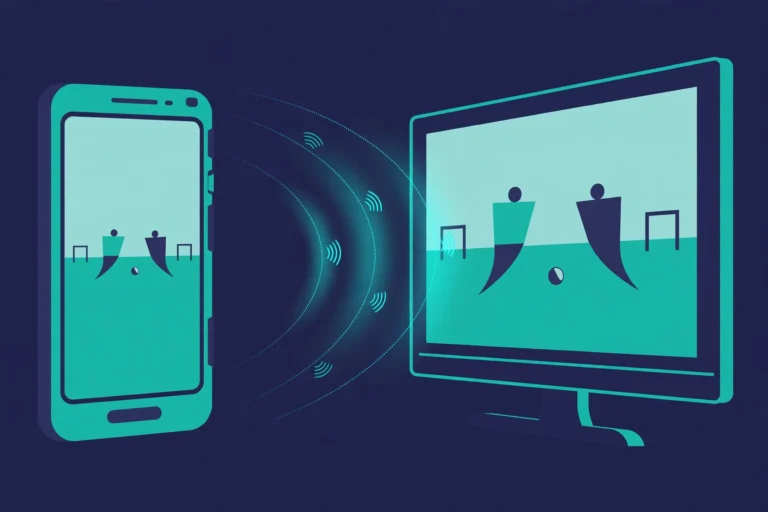
Many fans prefer a TV for football. If your version of Sportzfy supports casting, or your phone supports screen sharing to a TV, sound and picture will go to the TV, so check the TV volume and input.
For Android TV and Smart TV installation steps, see the site’s Android TV guide. Keep expectations realistic: remote control navigation and picture quality can differ from watching on a phone, and not every TV setup will work smoothly.
If the Football Match Does Not Appear
A missing match does not always mean the app is broken. Try these checks in order:
- Search for the team name or competition, in case the listing sits in a different section.
- Browse sports channels rather than match listings, since some games appear only as channel streams.
- Reopen the app and check again closer to kick-off, as listings can update late.
- Check your connection, since a weak connection can leave lists blank or half-loaded.
- Accept that the match may not be available, and use a licensed broadcaster or the competition’s official viewing options.
Avoid unknown sites or files that promise a missing match. They often carry pop-ups, misleading download buttons, or requests for personal details.
Tips for a Better Matchday Stream
- Prefer a stable stream over the sharpest picture. A smooth standard-quality stream beats a freezing high-quality one.
- Keep your phone cool and out of direct sunlight during a long match.
- Use headphones if you are watching in public, and check Bluetooth routing if sound goes missing.
- Do not keep tapping a dead listing. Switch listings once, then switch to your backup broadcaster.
- Check the score only from a trusted source if the stream lags behind live play, to avoid spoilers from notifications.
Conclusion
Watching football on Sportzfy means finding the right section, checking the match details before kick-off, testing the stream early, and having a licensed backup ready. Availability varies by version and region, so no single listing can be guaranteed. With a short pre-match checklist, you can spend matchday watching football instead of hunting for it.
For more guides, see the Sportzfy TV APK guide.
FAQs About Watching Football on Sportzfy
1. Can I watch live football on Sportzfy?
Football-related streams and channels may be available in some versions, but availability varies by version, region, and broadcast rights. A specific match is never guaranteed.
2. Why is my football match not listed?
The match may not be included in the current lineup, may be restricted in your region, or may appear under a channel rather than a match listing. Search by team name and check sports channels.
3. What should I do if the football stream buffers?
Use stable Wi-Fi, close other downloads, try a lower quality setting if available, and switch listings early. A licensed broadcaster is the best backup for an important match.
4. Does Sportzfy show every league and tournament?
No. Different versions show different lineups, and rights restrictions mean some competitions will be missing. Check the listings on your own device rather than assuming coverage.
5. Can I watch football on Sportzfy on a TV?
It depends on your device and version. Casting or screen sharing may work, but navigation and quality can differ from a phone. Check TV volume and input if picture or sound goes to the wrong output.
6. Is Sportzfy the official way to watch football?
No. Sportzfy is a third-party app, not an official broadcaster. For guaranteed, authorised coverage, use the licensed broadcaster for that competition in your country.